
Last reviewed: May 2026.
Google Calendar is almost synonymous with “digital calendar” for many people. It’s free, preinstalled on most Android phones (and a quick install away on iOS), and its sharing features are among the most mature anywhere. No surprise that many clubs start here. But the fundamental questions deserve a sober look: can a club legally use Google Calendar, and which tier is needed when? Here’s the 2026 reality check.
Table of Contents
- Google Calendar — two worlds
- Features and pricing at a glance
- Where Google Calendar shines
- Where it falls short for clubs
- Google Calendar and GDPR
- Alternatives to Google Calendar
- Bottom line
Google Calendar — two worlds
Like Outlook, “Google Calendar” actually covers two very different products:
- Google Calendar with a personal Google account — free, tied to a gmail.com address, no admin console, no data-protection contract with Google.
- Google Workspace (formerly G Suite) — paid, with an admin console, custom domain, and crucially for clubs, a Cloud Data Processing Addendum (CDPA) — Google’s GDPR Article 28 data processing agreement.
This split determines whether a club can use Google Calendar in a GDPR-clean way at all.
Features and pricing at a glance
- Platforms: iOS, Android, web (calendar.google.com); no native desktop app, but CalDAV sync with macOS Calendar, Outlook, or Thunderbird.
- Google Workspace pricing (as of May 2026, per user/month, ex-VAT — subject to change; check Google’s site for current rates):
- Business Starter: €6.90
- Business Standard: €13.80
- Business Plus: €18.40
- Enterprise: contact sales.
- Special tier: Google for Nonprofits can make Workspace free or discounted for eligible organizations.
- Features: shared calendars with granular permissions (free/busy, see all details, make changes, manage sharing), public calendar URLs and iCal subscription feeds, complex recurring rules, time zones, working hours, appointment booking pages (with a new pre-configured booking page since August 2025), RSVP with guest comments, auto-attached Google Meet, reminders, sub-calendars, Tasks and Keep integration.
- Recent (2024-2025): Material 3 / dark mode on web (October 2024), Material 3 Expressive on Android (August 2025), Gemini “Help me schedule” in Gmail and Calendar (October 2025).
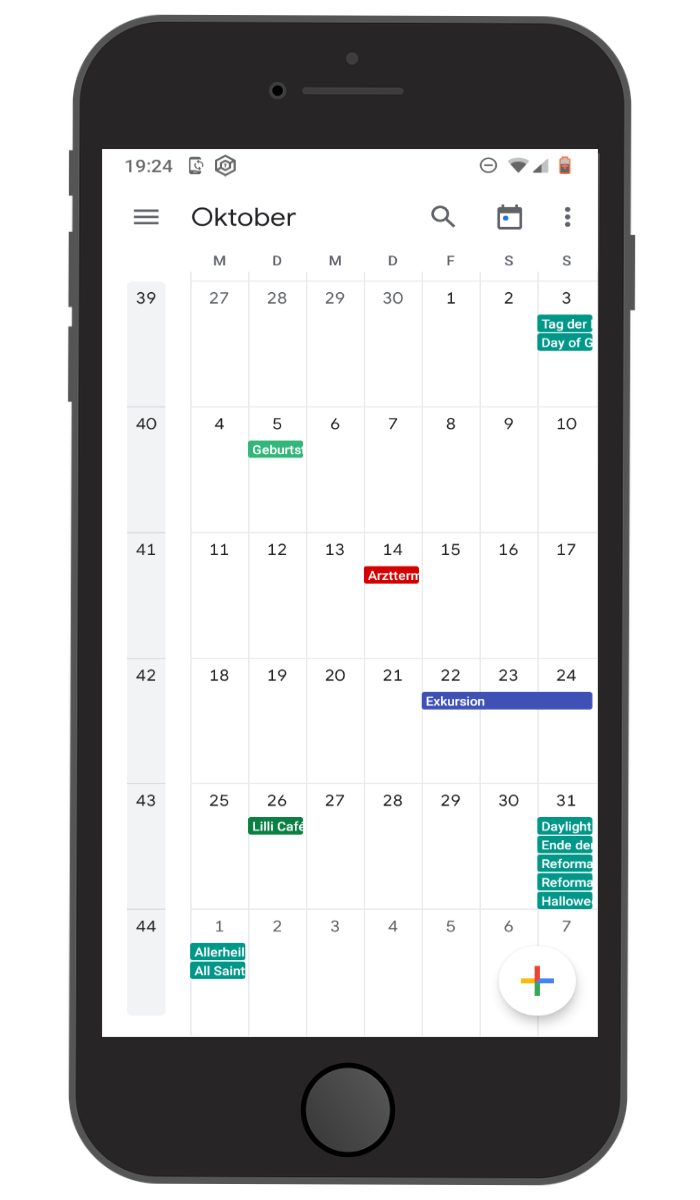
Where Google Calendar shines
If your club spans multiple devices and platforms, you benefit immediately: Google Calendar syncs reliably across Android, iOS, web, and almost any third-party client. The sharing model is among the best — granular, clearly documented, fast to configure.
The public iCal URL is gold for clubs that want to embed a fixture list on their website or give members a read-only subscription. And the appointment booking feature quietly turns Google Calendar into a small Calendly — useful for coaching slots, office hours, or hall bookings.
Where it falls short for clubs
In a club context, three things become obvious quickly:
- Every active member needs a Google account. Anyone who only subscribes can do without; anyone who wants to RSVP, add their own events, or get notifications needs one.
- No club roles. Google Calendar only knows calendar-level permissions (read / write / manage). The “board / coach / member” split has to be improvised across several shared calendars.
- Secret link, not access control. Public iCal and HTML URLs work on a “whoever has the link is in” basis. There is no real access boundary beyond the URL.
On top, the usual “it’s only a calendar” caveats apply: no integrated club chat, no member directory, no dues, no pinboard.
Google Calendar and GDPR
Google Workspace offers the Cloud Data Processing Addendum (CDPA) — Google’s GDPR Article 28 processor agreement. An admin has to actively accept it in the Admin Console. From Business Standard upwards, EU Data Regions are available; Google LLC has been certified under the EU-US Data Privacy Framework since 2023, and the EU General Court confirmed the framework’s validity in September 2025.
There is no DPA for free consumer Google accounts. A club that enters member data into a personal Google Calendar is not on solid GDPR footing under the prevailing read of German data-protection authorities. In practice, that means using Google Calendar for a club requires Google Workspace (or the Nonprofits tier) — there’s no real way around it.
Alternatives to Google Calendar
If you want Google-grade comfort without the cost or club mismatch, you usually look at:
- Outlook / Microsoft 365 — the big counterpart from the other camp. Details: Outlook Calendar for clubs.
- Apple iCloud Calendar — easy for Apple-only households, rarely practical in a mixed club.
- Proton Calendar — privacy-first Swiss option.
- Club apps with built-in calendars that think in members and roles. Overview: the 17 best apps for your club.
Klubraum as a club alternative
If you’re used to Google-Calendar comfort and want to add real club structure, chat, pinboard, and German data hosting, take a look at Klubraum. Klubraum ships with a group calendar, a DPA, German servers, and a free base tier that isn’t priced per user.
Bottom line
Google Calendar is functionally brilliant, reliably cross-platform, and GDPR-acceptable as part of Workspace — but it remains a calendar, and for a club you’d need to be on the paid Workspace plan anyway. If you’re already opening the wallet, it’s worth asking whether those euros per user might do more inside a club app that bundles calendar, chat, and members together.
For pure fixture lists and public schedules, Google Calendar remains a strong tool. But it rarely is the whole answer.