Last reviewed: September 2026.
For most clubs the right choice is an app that combines a calendar with RSVPs and a topic-based chat in one place: that replaces the sprawling WhatsApp group and finally puts dates, arrangements and announcements where everyone can find them. Which of those apps fits you depends mainly on two things — whether you also need specialist team-sport features such as lineups, a team treasury or a penalty catalogue, and whether you want to collect membership fees digitally. For dues and bookkeeping the answer is usually not a club app at all, but club management software.
In this article we compare 17 apps for clubs: ten apps that help you organise club life and seven messengers for communication (Klubraum appears in both categories). We look at the same three things every time: features, cost and data protection (GDPR). For context: Klubraum, the app behind this magazine, is used by more than 300,000 members and is rated around 4.6/5 in the app stores. So we are not neutral — which is exactly why we make a point of saying where other apps are stronger and what Klubraum itself cannot do.
Table of Contents
- In short: which club app is right for us?
- What actually is an app for a team or a club?
- The number of club apps is huge - and now?
- What actually makes a good team app?
- If you want to improve your organization first and foremost
- Apps with which you can network with each other
- Frequently asked questions
- Conclusion
What actually is an app for a team or club?
You don’t know exactly what a club app is? You’re not alone. Is it an app for organizing your own team or even club? Is it an app that helps to stay up to date? Does the app help you stay in touch with your team members? If you look at the typical functions of all the club apps we looked at, the answer is yes!
A club app serves as a communication and service medium in your club. It improves and simplifies the organization of appointments, the formation of carpools, the management of tasks and many other organizational tasks that arise within your club.
It also enables interaction between members and within departments, bringing all relevant information to your smartphone, tablet or desktop computer.
Do you, like most clubs, still use a variety of different tools? Then the right app for your club can greatly simplify your club life. Who wants to constantly jump around between different apps for chat, calendar or email?
For the easiest, clearest and most efficient way to manage your club and connect your members, everything should be bundled in one place. Which club app is best for you and your teams depends on you and your needs.
The number of club apps is huge - and now?
There is a wide range of apps on the market that are aimed at groups and can therefore also be interesting for you and your club. From messenger services to group calendars to apps programmed specifically for your club. Therefore, the real question is:
What are you looking for? What is your goal?
Each app has its own focus, as will your club too. Some focus on facilitating digital communication and thus networking among members, while others are more dedicated to organization. The easiest way to find the right app is to first ask yourself what’s most important to you.
Some apps for clubs can be clearly divided into one of these two areas. But there are also apps that manage to combine both. Most apps developed specifically for clubs provide both, but focus on one of the two categories. Depending on the needs of your club, you can choose between several apps on the market.
What actually makes a good team app?
As mentioned before, there are a lot of apps that are aimed at clubs or groups, teams and squads. How do you find out if the app of your choice is also a good app for your club? With the amount of apps, you can hardly try them all. That’s why we’ve put together a few characteristics that a good club app should have.
- Right target group
- User friendly
- Accessible
- Offline capable
- Networking
- Data protection
Right target group
Whether a club app is suitable for you depends first of all on its target group. There are apps like Spielerplus, which are clearly aimed at soccer and other sports teams and are therefore rather unsuitable for the music club or the youth center.
But not every app has such a clear target group. There are a number of apps that are general in nature and are therefore aimed at a wide range of clubs. To make it easier for you to choose, we have divided the club apps presented here into two categories: Apps for teams or clubs of all kinds and apps for sports teams.
User friendly
A club app should be user-friendly first and foremost. Who wants to feel like they have to read instructions when using an app? In addition to intuitive operation, the app should have a clear and appealing design. And if your club is really humming, the app should also always provide updates for you in real time. Who wants to constantly press “update”?
Accessible for every member
In the best case, your club app should help you to connect the members with each other or the board with the members. That’s why it needs to be accessible to everyone. It’s best if the app works well on a tablet in addition to a smartphone.
That the app is available for both Android and iOS should be a given in 2026. Since most of your club members are probably on the go with a smartphone, all the info can be accessed quickly and easily.
Nevertheless, you should not forget about the members who are not comfortable with smartphones or even don’t own one at all. For a club app, it is therefore very important to also have a WebApp that runs in the normal internet browser. In addition, some things are easier to see on the big screen or easier to use because most people are used to using a PC.
Offline capable
The bond between you and your teams should not end as soon as the network breaks down. A good team app should still work even if you’re stuck in a dead zone. You shouldn’t have to rely on the mobile network just to check an appointment or a chat message you’ve already received.
Sending messages or setting appointments shouldn’t result in ugly error messages when you’re on the train and the connection is shaky again.
Networking members
Last but not least, a club app should create a connection between the club members. This not only strengthens your teams’ spirit, but also gives the club a personal touch in “virtual club life”. Through the solidarity that is enhanced, you can also counteract the much feared club death that unfortunately poses great challenges to some associations.
With an app that everyone likes to use to exchange ideas with like-minded people about their own passion, you can also make yourself more attractive to new members, especially those from the younger target group. Who wouldn’t want to impress new members with a great offer?
Whether club members want to exchange information with each other or establish contact between officials and members, a club app should be able to do both, for example, through a well-designed chat function for group and one-to-one communication.
Data protection compliant
You want to offer the association app as an official tool of your club? Then the club board is also responsible for data protection compliance according to the GDPR. Neither you nor your members should have to worry about whether your data will be shared and how secure it is.
Within the EU violations of the GDPR can result in heavy fines, so this is not an issue that should be taken lightly.
Especially apps from the USA need careful review since the European Court of Justice overturned the Privacy Shield agreement in 2020 (Schrems II). Since July 2023 the EU-US Data Privacy Framework governs transatlantic data transfers — with EU-based clubs still responsible for their own Auftragsverarbeitungsvertrag and configuration choices.
It is also important that you conclude an order processing contract with the operator of the app. In most cases, the provider provides a corresponding contract text that you only need to download and save securely.
If you want to improve your organization first and foremost
From appointments to carpooling to task management, your club has its hands full. That’s why many club apps specialize in optimizing the organization of your club, not only to help you schedule appointments more efficiently, but also to keep all members informed of scheduling and changes in a timely manner.
From the weekly training to the tournament or performance in another city, the organization in the club is the be-all and end-all. All apps that we present to you in this section focus primarily on the organization of your club life.
BenchApp
Built by hockey players, designed for a variety of sports
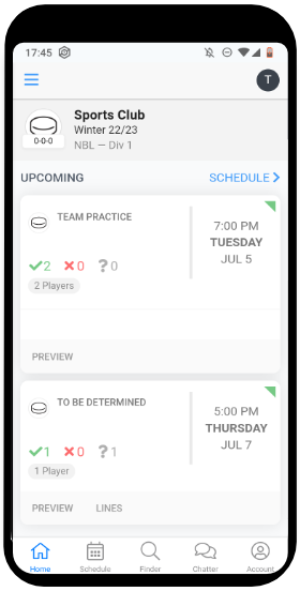
The founders of BenchApp are hockey players themselves and designed the app for a variety of sports. There are three tiers: a Free plan with email RSVPs, scheduling, rosters, player stats and team messaging; a Pro plan at $9 per month per team that adds text-message RSVPs and broadcasts, advanced finance tracking, polls, bulletins and removes in-app ads; and a League plan at $10 per month per team for commissioners managing multiple teams (see BenchApp pricing). The free tier is supported by in-app advertising — the iOS App Store listing discloses “Contains Advertising,” and BenchApp’s own pricing page lists “No Ads” as a Pro-tier benefit.
Key features:
- Email and text message notifications
- Roster
- Track & manage Fees
- Drink Manager
- Statistics
- Team chat
- Calendar sync
- Team broadcast
With BenchApp you can use one (club) account to create multiple teams. Your team members can subscribe to schedules or download them and add their jersey sizes.
However, players cannot create events, only the team manager can do so. You can assign duties for events and decide who needs to bring what for the next game.
Conversations can be held with all team members at once or in private chats.
Another feature of the app is the Games & Player Finder. With this function you can spot available players in your area or get notifications when games close to you are looking for more players.
Go to the website of BenchApp: https://www.benchapp.com/
Klubraum
German-made app for groups and clubs of all kinds
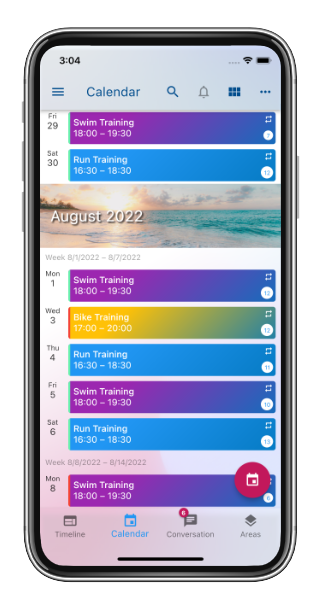
Klubraum is a German-made app for groups and clubs of all kinds. The core experience — chat, calendar, news feed and members directory — is free and ad-free for every club. For clubs that need more, Klubraum offers optional Plus and Pro plans (paid by the club), but the free tier is fully functional and not time-limited.
Another important goal of Klubraum is to ensure that everyone only receives the information that is relevant to them.
Key features:
- News feed with personal timeline
- Topic-based group chat and direct messages (with “seen by” and typing indicator)
- Voice messages, photos, videos, documents and locations
- Group calendar with RSVPs and recurring events (RSVP deadlines, custom event colours and birthdays in the calendar with Plus)
- Surveys and polls with several question types (additional question types with Plus; drafts, scheduling, collaborators and visibility controls with Pro)
- Carpool planning per event
- Member management with departments / sub-areas, sorting and export (extended member export with Pro)
- Children and guest registration for events
- Digital member card for every member
- Web calendar embed for the club’s website (iFrame) plus iCal sync
- Available on iOS, Android, Web and macOS
Klubraum’s main focus is on managing your appointments and networking among members.
In the personal timeline you get all the information that is relevant to you for easy scrolling.
The new chat function allows you to start a topic-related group chat in a so-called conversation.
Or you can chat with one or more teammates in a private conversation.
To make sure that your messages are received, you can always see how many times your message has already been read.
You can easily enter series and one-time events into the calendar, both as an official and as a member.
The commitment and cancel function shows you who will participate in an event and if there are still places available.
With the Plus plan you can also define a time window for the confirmations and cancellations. For example, you can set that members can confirm or cancel no earlier than 5 days or no later than 1 hour before the scheduled event.
Additionally, children and guest registrations can be activated and members can register them for events.
As the creator of an event, you can set a participant limit and whether a waiting list should be kept. Carpools can also be planned for each event so members can share rides to away games and trainings.
If you have divided your club into corresponding areas, everyone can decide for himself from which areas he or she wants to stay informed. You can also shield confidential information from the rest of the club by using private areas.
No matter if it’s the board of directors, the swimming department or the marketplace, in Klubraum you can easily map the diverse interests and subgroups of your club. How clubs use these Areas to replace a dozen WhatsApp groups with one app is explained on our page about club communication without WhatsApp.
Members can use an advanced user profile to store their contact information, such as their cell phone number or email address.
To get a first impression of Klubraum, you can use an online demonstrator without prior registration and installation of the app.
Klubraum is operated by a German company, EU-hosted, GDPR-compliant by default, does not show ads, and does not share member data with third parties for advertising.
Go to the website of Klubraum: https://klubraum.com
TeamPlus (formerly PlayerPlus)
App for sports clubs with origins in team sports
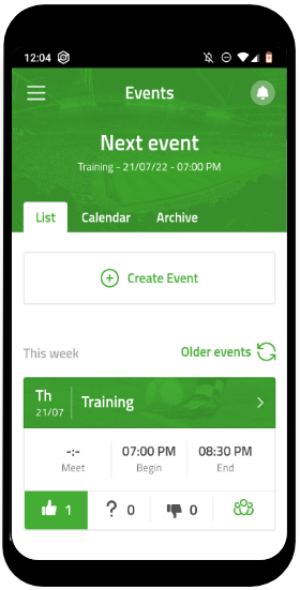
TeamPlus (the international rebrand of Spielerplus / PlayerPlus, same vendor SPM Sportplatz Media GmbH) is an app for sports clubs with origins in team sports, especially soccer. Financed by advertising, TeamPlus enables free membership for teams with up to 30 members. Beyond that, you’ll need Premium — pricing is configurator-based and gets discounted when you bundle several teams. A single Team Premium runs around €53.99/year per team (annual billing), with the per-team price dropping for multi-team bookings (e.g. three teams ≈ €154.99/year instead of the €215.64 list price, about 28% off); there is also a lower-priced Single Premium subscription for individual coaches or players, bookable in the app — its price is not published on the pricing page (see TeamPlus pricing). The German app stores still list it as “SpielerPlus” with disclosure “Contains Advertising / In-app purchases.”
Key features:
- Assign roles and rights
- Digital accounting (penalties, donations, etc.)
- Calendar (synchronization, commitment, cancellation)
- Game plan import
- Polls
- Statistics
- Messenger
- Carpools
- Predictor Game
- Tracking (Google fit, Apple Health)
Playerplus has a calendar with an add and cancel feature. Appointments are displayed as a list or in a monthly overview. To keep in touch with your teammates, you can chat privately in Messenger or create a group chat.
In addition, there is the statistics feature and a penalty catalog to hold players accountable for their behavior. In the team cloud you can upload pictures, videos and documents and share them with your whole club. There are also features like carpooling, member list, polls, betting round, tracking, vacation/sick and in your neighborhood.
Features like role authorization, subscribe to calendar, cancel appointments and notify the team are only available in the premium version. In addition, the app is available in other languages besides English, such as German and French.
Go to the website of TeamPlus / Spielerplus: https://player.plus/
Spond
Free app from Norway, suited to children's sports groups
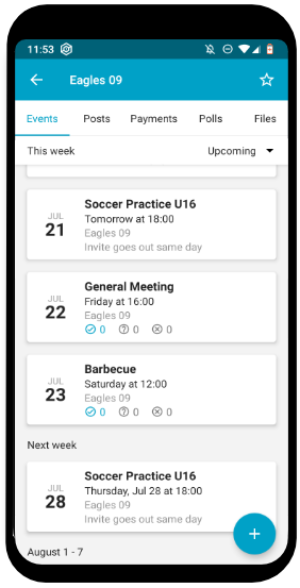
Spond is a free app from Norway that stands out especially for its suitability for children’s sports groups. The focus of the app is on simple team organization, especially the organization of events.
Spond is free for members to use, but the platform monetizes in three ways. First, transaction fees apply when membership fees or other payments are collected via Spond Club — currently 2.5% + €0.20 per Euro-zone transaction (see Spond Club pricing). Second, sponsored brand-partnership content is placed within the Spond app to “generate revenue to keep Spond free for all users” (see Spond brand partnerships). Third, the App Store privacy label discloses that identifiers and usage data are “used to track you,” and Google Play confirms that name, email and device IDs are shared with third parties for advertising and marketing (see Spond on the App Store). For clubs choosing a free app, this is the trade: no subscription, but the platform supports itself through fees on payments, sponsored content, and user data.
Key features:
- Invite members to activities
- Share pictures, videos and documents
- Chat function (group or individual chat)
- Guardianship tool
- Create subgroups
- Polls
- Payments
You can easily create events and series or one-time appointments in the app. For these, you can set a deadline for the registration, as well as signing in and out for the appointment.
Suitable for the target group, you can enter a guardian for the members. Subgroups can be created for a clear overview. Although there is no central news function, Spond has an individual or group chat for you and your members.
You can also use the poll tool to gather opinions from your members or vote on dates.
Go to the website of Spond: https://www.spond.com/
SportEasy
Separate plans for single teams and for whole clubs
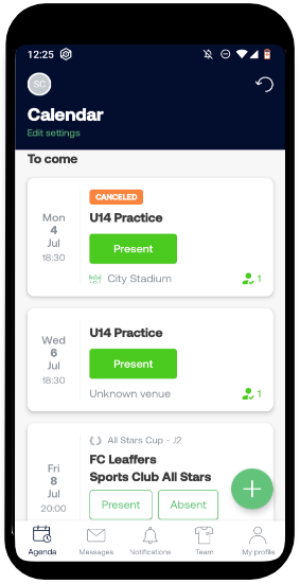
SportEasy offers two types of plans: For teams and for clubs. The plans for Teams are a Basic and a Premium one. The Basic plan is limited to 30 members and limited features.
If your team wants task management, attendance records or statistics, you’ll need the Team Premium plan: €9.99 per team per month billed monthly, or €69 per year (€5.75 per month) billed annually (see SportEasy Team plans).
The Club plans are priced per member: Classic at €0.45 per member per month (€5.40 per member per year) and the Sponsors plan at €0.48 per member per month (€5.76 per year, annual billing only). The Sponsors plan (see SportEasy Sponsoring) lets clubs offset costs by injecting sponsor advertising into the member app. If you choose the Sponsors plan, your members will see your sponsors’ logos and content alongside team activity.
Key features:
- Roster & profiles
- Messaging
- Calendar
- Event invitations & attendance
- Team lineups
- Task management
- Leagues
- Stats and Live Feed
- After the game
- Membership fee collection
SportEasy makes it easy to schedule events, games or practices. Each member is assigned a role. Each role (player, player-coach, coach, occasional player, friend) has different rights within the app.
For example, only the coach or player-coach can enter scores and stats.
Each member of the team can set their notification settings individually. To make it easier to know when team members will be available to play or train, everyone can enter a period of unavailability, in which case players are not invited automatically to events and the coach gets a notification.
Go to the Website of SportEasy: https://www.sporteasy.net/en/
SportMember
Free, ad-supported app from Denmark for team sports
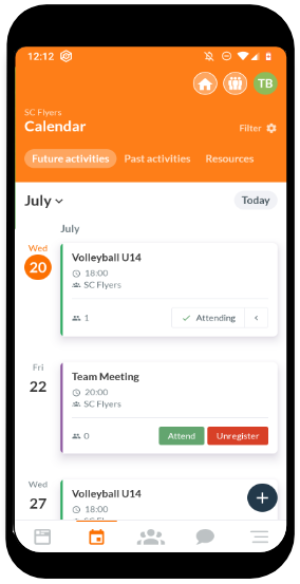
SportMember is a free and ad-supported app from Denmark that is especially great for team sports. For an ad-free, enhanced SportMember Pro, the club pays roughly $0.21 per user/month with a $25/month minimum (plus additional fees of $0.50 + 3% if you use SportMember as your payment provider — see SportMember Club subscriptions). On the UK site the Pro plan is £0.16 per member/month with a £22/month minimum, plus £0.35 + 1% per transaction. Individual members can also subscribe to Personal, Family or Team Premium plans (1, 3 or 12 months) to remove ads on their own account — current EUR/USD pricing for those tiers is shown only inside the app.
Key features:
- Calendar (activities, vacations, log in, log out, synchronization)
- Carpooling
- Task management
- Surveys
- Statistics
- Digital accounting (contribution payments, penalties, team cash)
- Chat function
- Profile for parents of members
- Pinboard & Forum
- Share pictures and videos
- Player of the Match
SportMember is mainly aimed at team sports clubs that want to manage their schedules, their members and their membership fees. Among other things, SportMember has a calendar, a statistics tool that analyzes attendance, and the ability to manage monetary amounts such as penalties or payments to the team treasury.
Some of the features are only available for testing in the free basic version, like the week view in the calendar. If you want to use them, you have to upgrade to the premium version.
Through the member list you have all members and their contact details at a glance. The invitation, which you can send directly via WhatsApp, makes it especially easy for you. Parents can also create a profile and link it to their child’s profile. In addition to the chat function, which creates group chats, there is also the possibility to form carpools.
SportMember helps you to simplify the organization and communication within the club. It gives you the possibility to get your club directly on your cell phone. However, you must pay attention to the fact that advertising is available and for some features the premium version must be purchased.
Go to the website of SportMember: https://www.sportmember.co.uk/
SportsEngine Play
US directory and app for youth, individual and adaptive sports
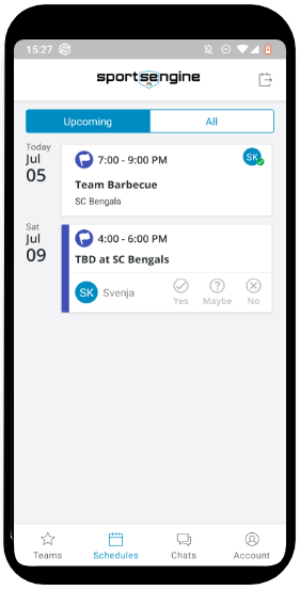
SportsEngine is a US-based directory and mobile app for youth, individual and adaptive sports. Originally acquired by NBC Sports in 2016, SportsEngine was sold in May 2026 by Versant Media Group (NBCUniversal’s spin-off) to PlayMetrics (backed by Genstar Capital). The app is free; SportsEngine’s own community forum documents in-app banner and interstitial ads plus an auto-renewing ad-removal purchase (around $0.99/month), while the current marketing page mentions neither. As a club you can create multiple teams to organize and be part of within the app.
Key features:
- Member attendance / RSVP
- Message feed
- Branded team page
- Roster
- SMS notifications
- Schedules
- Chats & alerts
- Gallery
When creating an event it’s possible to put the (expected) arrival time for your players and uniform information in and also decide whether team members should receive a notification.
Invitations can also be accepted on behalf of children, in this case the parent creates an account and can then manage the profile of their child.
Each team member can decide if they want to share their contact information, like email and phone number with the other players of their team. It is also possible to adjust the notification settings individually for each team.
Go to the website of SportsEngine Play: https://discover.sportsengineplay.com/free-team-management-mobile-app
Teamer
Closing down on 5 October 2026
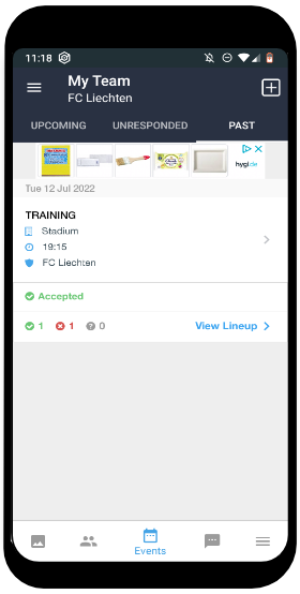
Teamer is closing down. Pitchero announced on 5 August 2026 that the Teamer platform will shut down on 5 October 2026. Premium subscriptions were cancelled during September 2026, new sign-ups have been switched off, and Teamer offers no data export — clubs still on Teamer need to move their members, events and messages by hand before that date (see Teamer shutdown FAQs). Teamer belonged to Pitchero since 2018; Pitchero recommends its own platform as the migration path. If you are looking for a replacement, see the FAQ below.
Go to the website of Teamer: https://teamer.net/
TeamReach
Free app for managing teams, no longer ad-free
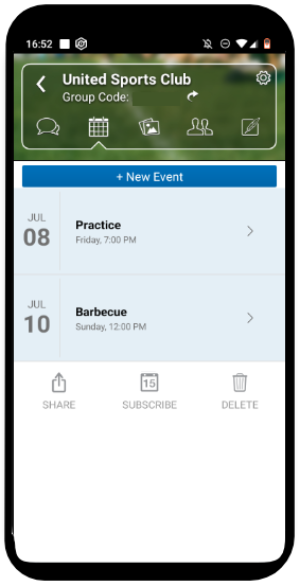
TeamReach is a free app for managing teams. As of 2026 it is no longer ad-free: in-app purchases remove the ads from $0.99 per month ($2.99 for the standard monthly tier, $9.99 per year — see the TeamReach App Store listing). Alongside the mobile apps, TeamReach now offers a desktop web app at desktop.teamreach.com, so you can also manage your groups in the browser.
A team can be public or private. When setting your group as private, team members will need a group code to enter.
Key features:
- Chat (group & direct)
- Schedules
- Availability check
- Flash polls
- Group gallery for photos and files
- Sharing of photos, videos, files and location
When creating an event you can add reminders, an attendance list, uniform colors, volunteers and after a game, the scores. The coach or team manager can also send out last minute notifications like cancellations or a reminder of the uniform color.
Messages can be sent in the group chat or as a direct message. Important messages can be highlighted and then appear with a yellow background to stick out from other messages. Team members can comment or send quick reactions to messages. Messages can also be scheduled to be sent out.
To ensure more privacy, team members can’t access the phone number of the coach and vice versa.
Go to the website of Teamreach: https://www.teamreach.com/
Stack Team App
Free, ad-supported app for teams and social groups
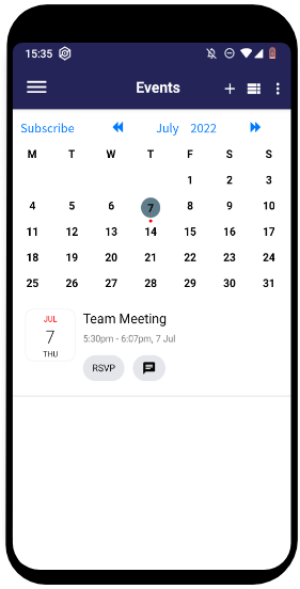
The Stack Team App (Team Mates Pty Ltd, Australia) targets teams and other social groups. The app is free, but supported through ads. Members can also individually decide to pay a small in-app fee — currently AUD$4.49 / USD$2.99 per year per member — to remove the ads in the mobile app (see the Stack Team App listing on the App Store).
Key features:
- Access groups (to customize notification settings for each group, e.g. players, parents)
- Gallery for videos and photos
- Chat
- Live Scores
- Player profiles
- Schedules
- Surveys
- Duty Roster
The Stack Team App additionally to the app creates a website that updates with the app. The website is accessible with a log in, so it’s only visible to members of the team.
There is also a Sponsor feature that allows you to display the logo of your team’s sponsor, as well as the company’s details. This and for example uploading team schedules or uploading PDFs can only be done through the website dashboard.
The app also offers the creation of a store to sell membership fees and merchandise. This also allows you to export a CSV file of sales data. The management of this feature is only available to Admins.
Go to the website of Stack Team App: https://www.teamapp.com/
| BenchApp | Klubraum | TeamPlus | Spond | SportEasy | SportMember | SportsEngine | TeamReach | Stack Team App | |
|---|---|---|---|---|---|---|---|---|---|
| Target group | Team sports | Clubs of all kinds | Team sports | Team sports | Team sports | Team sports | Team (youth) sports | Team Sports | Team sports |
| Cost | Freemium / Ads | Freemium | Freemium | Transaction fees + sponsored content | Freemium | Freemium / Ads | Free + IAP / Ads | Free / Ads | Free / Ads |
| GDPR compliant | ✓ | ✓ | ✓ | ✓ | |||||
| Offline capable | (✓) read | ||||||||
| Available for | Android, iOS, Browser | Android, iOS, macOS, Browser | Android, iOS, Browser | Android, iOS, Browser | Android, iOS, Browser | Android, iOS, Browser | Android, iOS, Browser | Android, iOS, Browser | Android, iOS, Browser |
| Newsfeed / dashboard | ✓ | ✓ (Timeline) | ✓ | ✓ | ✓ | ✓ | |||
| Personal Timeline | ✓ | ||||||||
| Carpooling | ✓ | ✓ | ✓ | ||||||
| Calendar | |||||||||
| Accept + Cancel | ✓ | ✓ | ✓ | ✓ | ✓ | ✓ | ✓ | ✓ | ✓ |
| Participation limit | ✓ | ✓ | ✓ | ✓ | ✓ | ✓ | |||
| Event series | ✓ | ✓ | ✓ | ✓ | ✓ | ✓ | ✓ | ✓ | |
| Chat | |||||||||
| Direct message | ✓ | ✓ | ✓ | ✓ | ✓ | ✓ | ✓ | ✓ | ✓ |
| Group chat | ✓ | ✓ | ✓ | ✓ | ✓ | ✓ | ✓ | ✓ | ✓ |
| Topic-related | ✓ | ||||||||
| Seen by | ✓ | (✓) | ✓ | ||||||
| Typing… | ✓ | ✓ | |||||||
| Administration | |||||||||
| Member list | ✓ | ✓ | ✓ | ✓ | ✓ | ✓ | ✓ | ✓ | ✓ |
| Payments | ✓ | ✓ | ✓ | ✓ | ✓ | ✓ | |||
| Tasks | ✓ | ✓ | ✓ | ||||||
| Surveys | ✓ | ✓ | ✓ | ✓ | ✓ | ✓ | ✓ |
(✓) Klubraum shows events and chats from its cache even when you are offline; sending a message needs a connection. For the other apps we have no reliable information about offline use.
Apps with which you can network with each other
Sure, the organization in the club is important but you can not leave out the communication. A focus on fast and uncomplicated communication is a must for many clubs. The times when an announcement was posted on the bulletin board are over. Today there are apps that simplify everything. With a few simple clicks, everyone has the announcement on their cell phone and no one can miss it.
In the best case, your club app will help you create a “virtual clubhouse”. It simplifies your communication channels, since everyone involved is gathered in one place.
The messenger a large part of the population already uses
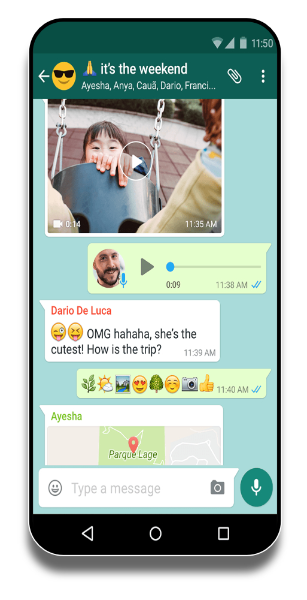
Let’s start with the alternative that a large part of the population uses: WhatsApp. WhatsApp has all but replaced SMS and is woven into many people’s daily routines.
WhatsApp is a messenger service that lets you send messages and files in individual or group chats. WhatsApp has been part of Meta (formerly Facebook) since 2014. The app itself is free to install on Android, iOS, Web, Windows and macOS, but WhatsApp is no longer ad-free: since the rollout that completed globally in early 2026, paid ads now appear in the “Updates” tab — both in Status and in Channels. Channel admins can pay to promote their channels, and businesses can pay to show ads inside Status. Targeting uses country, language, the channels you follow and how you interact with ads. According to Meta, the content of personal one-to-one and group messages stays end-to-end encrypted and is not used for ad targeting (see WhatsApp’s Status and Channels privacy policy (EEA)).
Since 16 December 2025 Meta has used interactions with its AI features to personalise ads and content on Facebook and Instagram — but not in the EU, the UK or South Korea, which Meta excluded from the rollout because it could not meet GDPR’s lawful-basis and consent requirements. It is a reminder of how quickly a Meta product’s data flows can shift; EU clubs are not currently affected by this one.
Key features:
- Individual and group chats
- Text and voice messages
- Pictures, videos and sound files
- Share documents, locations and contact details
- Phone and video calls
- Seen by feature
For larger clubs, WhatsApp groups remain convenient for fast, low-friction communication. But there are limits worth weighing: chats are flat (no topic threads, no central calendar, no event RSVPs); the standard cloud backup can leave message history unencrypted in iCloud/Google Drive depending on settings; and as a club’s official tool, the board carries GDPR responsibility. With Meta-owned WhatsApp now serving ads in Status and Channels, the case for using WhatsApp as the official communication channel of a club is weaker than it used to be. Voluntary use among members is unproblematic; an official order from the board is harder to defend.
Go to the website of WhatsApp: https://www.whatsapp.com/
Klubraum
Chat, calendar with RSVPs, polls and member directory in one app
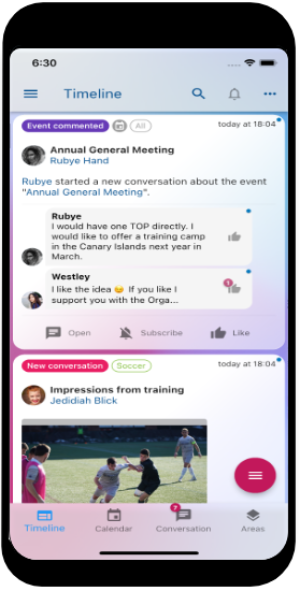
Here, too, we want to introduce Klubraum. Because Klubraum not only has features for the organization of club life, but has a lot more features, especially when it comes to communication. Klubraum’s core goal is to connect the club members with each other.
Key features:
- Topic-based group chat and direct messages to individual members
- Sending voice messages, pictures, videos, documents and locations
- Chats about individual appointments and carpools
- Live view of who is online or writing in a conversation
- Easy contacting of all members via the member list
- Integration of chats into the personal timeline
- Seen by feature
The messenger functions of Klubraum are specially designed to meet the needs of larger groups and clubs. The topic-based chats prevent the smartphone from constantly vibrating and club communication from becoming an annoying constant buzz. At the same time, subscribing to relevant content ensures that no more information slips through the cracks.
In addition, the timeline is a central news source that your members can use to stay up to date individually - similar to what you know from the big social media, but in the protected space of your club.
To get a first impression of Klubraum, you can use an online demonstrator without prior registration and installation of the app.
As a German app, Klubraum is subject to the GDPR and can also be used as an official club medium in compliance with data protection regulations.
Klubraum is available in ten languages, including German, English, French, Italian, Spanish, Portuguese, Dutch, Norwegian, Danish and Swedish.
Unlike most of the other messengers in this section, Klubraum combines chat, a calendar with RSVPs, polls and surveys, a member directory, and a digital member card in a single app. Klubraum is ad-free, runs on EU-hosted infrastructure, and is operated by a German company under GDPR — there is no advertising business model behind the product, and no member data is shared with third parties for marketing.
Go to the website of Klubraum: https://klubraum.com
Signal
Free, donation-funded messenger with no ads and no tracking
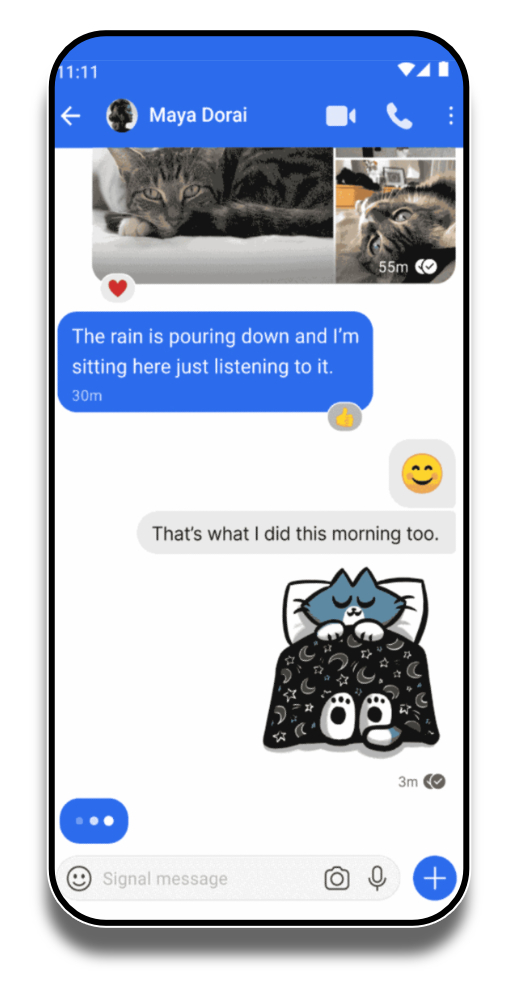
Signal is another messenger that your club can use for everyday communication. In terms of features, the app is very similar to WhatsApp — not least because the Signal Foundation was co-founded in 2018 by WhatsApp co-founder Brian Acton (with cryptographer Moxie Marlinspike, whose Signal Protocol now also powers WhatsApp’s encryption). Signal stays popular for the same reasons it always has: no tracking, no advertising, and no affiliate marketing.
Signal is free to use and is funded by donations to the Signal Foundation, a 501(c)(3) non-profit. As of 2026 the project is actively developed and remains the messenger most independent privacy and security experts recommend.
Key features:
- Voice and video calls
- Individual and group chats
- Text and voice messages
- Pictures, videos, and sound files
- Share documents, locations, and contact information
- Seen by feature
The app allows you to communicate in a group chat similar to WhatsApp. Documents, pictures, and videos can also be shared. The app has many privacy settings, which should please those of you who are particularly concerned about data protection.
Like WhatsApp, Signal has end-to-end message encryption and offers extensive privacy settings. Because Signal does not run ads, sells no data, and shares nothing with third parties for marketing, you can use it in your club in line with the GDPR — without the structural concerns that come with US-headquartered ad-funded messengers.
Go to the website of Signal: https://signal.org/en/
Threema
Swiss messaging service that focuses on privacy
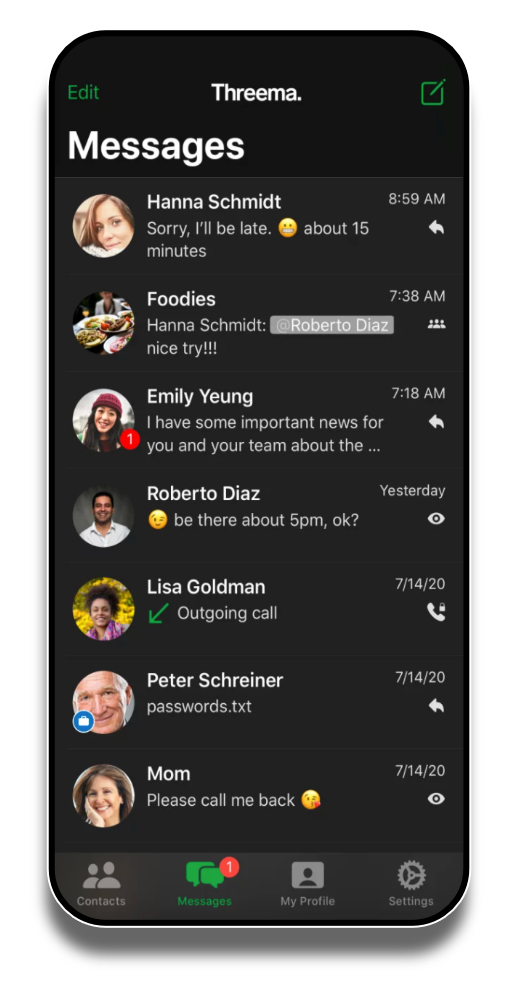
Threema is a Swiss messaging service used on smartphones and tablets that also focuses on privacy. The messages of this chat app are all encrypted end-to-end. You can also use Threema on the desktop. Threema’s range of functions is also very similar to WhatsApp and Signal.
Key features:
- Text and voice messages
- Voice and video calls
- Share pictures, videos, animated GIFs and locations
- Send files of any format
- Create polls and surveys
- Additionally protect private chats (by PIN or fingerprint)
- Threema-Safe for anonymous backups of the most important files
- No SIM or cell phone number needed
Unlike the previously mentioned aspirants WhatsApp, Klubraum and Signal, Threema is not a free messenger app. For iOS and Android users, the app is a one-time purchase of €6.00 (6 CHF / $6.00), sold as Threema Private, with no subscription afterwards (see Threema pricing).
Group chats can be held with up to 256 participants, which can certainly be a limitation for some clubs. Otherwise, the group chat is only slightly different from other pure messenger apps.
One feature that might appeal to your club is the ability to send polls as chat messages. This way, you can get a quick and uncomplicated opinion on a topic.
This app is also privacy-compliant and can therefore be used in your club without any problems. Since Threema’s architecture is designed for the highest level of data protection, you as an association need have few concerns in this regard.
Go to the website of Threema: https://threema.com/en
Microsoft Teams
Communication platform from the Microsoft 365 suite
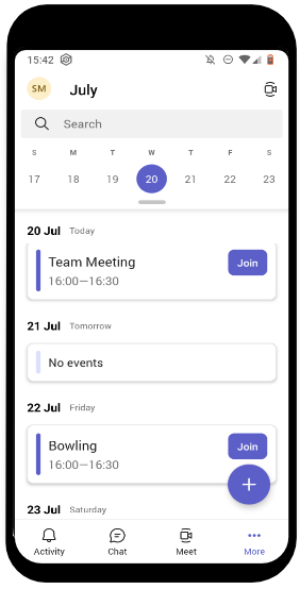
Microsoft Teams, often just called Teams, is a communication platform for chats, meetings, notes, attachments and more. The service is part of the Microsoft 365 suite and is primarily designed for professional use in companies. One of Teams’ strengths is its deep integration with other Office products such as Word, Excel, OneDrive or Planner and its ability to support even complex business processes.
Teams offers your association the possibility to hold conferences, chat and make phone calls. Teams is compatible with Android, Apple and Windows.
Key features:
- Newsfeed
- Individual and group chat
- Video conferencing
- Calls
- Document sharing and filing
- Teamwork on documents
- Bots
- Integration with the Microsoft 365 suite
Different channels (conversation topics) can be set up, by each member for all members, on different topics. Direct messages can be used to send private messages to one or more people.
Meetings can be scheduled or held directly and via the plug-in for Outlook, members can be invited to the meeting. Meetings can also be recorded and made available later.
You also have the option to let outsiders dial into the conference call via a number provided by Microsoft. However, Teams is only open to guest users in a limited form.
In addition, Microsoft Teams enables voting and people searches through third-party extensions such as Polly or Who. Since Teams is mostly used via the PC due to its business focus, many activities can be controlled via shortcuts.
Costs (2026)
Microsoft Teams is part of Microsoft 365. If your club already runs Microsoft 365 Business Basic, Business Standard, Business Premium, or any of the Enterprise E1/E3/E5 plans (Office 365 was renamed to Microsoft 365 in April 2020), Teams is included at no additional cost.
Microsoft also offers a free Teams tier with unlimited chat, group meetings up to 60 minutes / 100 participants, and 5 GB of cloud storage — enough for a small club’s basic needs. The dedicated Teams Essentials plan adds longer meetings (up to 300 participants) and 10 GB of storage, and costs €3.50/user/month. Bundled M365 SMB plans range from €6.07/user/month (Business Basic) to €12.13/user/month (Business Standard) to €19.06/user/month (Business Premium) — all in annual prepay (see Microsoft Teams pricing). Microsoft raised the Business Basic and Business Standard prices on 1 July 2026 (Business Premium unchanged); the plans are sold with or without Teams — the prices above are for the with-Teams variant (EU list prices, September 2026).
For non-profit and charitable organizations, Microsoft offers donated and discounted M365 SKUs — including free Business Basic seats and discounted Business Premium for additional users. Eligibility requires recognition as a non-profit and signing Microsoft’s anti-discrimination policy.
Unlike WhatsApp or Discord, Microsoft does not show ads in Teams and does not use Teams customer data for ad targeting — neither in the free tier nor in paid plans.
GDPR: the regulatory situation has moved on since the German Datenschutzkonferenz’s 2022 critique. Microsoft’s EU Data Boundary, rolled out in three phases from January 2023 and completed in February 2025, keeps customer data — including Teams content and support logs — within the EU/EFTA, and most German Datenschutz-Aufsichtsbehörden now treat Teams as usable with an appropriate Auftragsverarbeitungsvertrag and configuration. Individual clubs should still consult current local guidance.
Go to the website of MS Teams: https://www.microsoft.com/en-us/microsoft-teams/group-chat-software
Slack
Communication platform focused on corporate communication
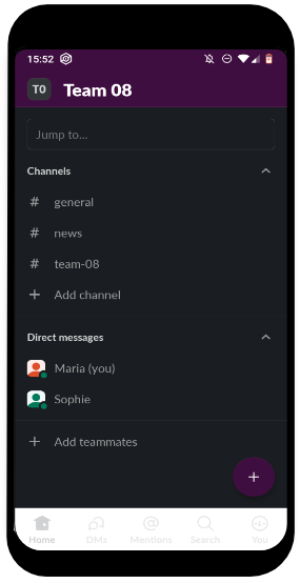
Slack is another communication platform that focuses on corporate communication. Slack was originally developed as an internal messenger service for a game startup and quickly established itself as a messenger service for workgroup communication in companies.
Slack allows you to exchange text messages in one-on-one or group chats. You can divide conversations into open or closed channels for clarity. Originally coming from the desktop, Slack is also available on mobile and can be used on Windows, macOS, Linux, iOS and Android.
Key features:
- Slack Connect (connect with partners/ external companies etc. and integrate other tools)
- Channels (subdivision of topics)
- Compose messages in individual or group chats
- Video and audio calls
Slack’s features are heavily geared toward entrepreneurial communication. Each member can create channels so that you can exchange information grouped by department or field of interest. In addition to messages, which also offer various formatting options, documents and files can also be shared.
Notifications can be paused temporarily. Unlike Microsoft Teams, collaborative document editing is not yet possible within Slack. However, Slack allows you to integrate several plug-ins, such as Google Drive, so you can use Slack as a group work platform.
Slack is a full-fledged group messenger, but a calendar is not integrated. The integration of other features via additional services usually requires your consent to share tracking data from these services. However, as Slack is an American service provider, you cannot use it in a privacy-compliant way without concerns anyway.
Costs (2026)
The free tier keeps only the most recent 90 days of message history searchable, limits you to 1:1 audio/video calls, and caps integrations at 10. As soon as you need older messages, group huddles, or more integrations, you’ll move to Slack Pro at €6.75/user/month (annual prepay) — €8.25 monthly, which works out to roughly €81/user/yr (see Slack pricing). Slack AI (search summaries and channel recaps) is included in Pro and above.
The next step is Business+ at €15/user/month annual prepay (€18 monthly), about €180/user/yr — Slack increased Business+ from $12.50 to $15 in June 2025. Enterprise+ (formerly Enterprise Grid) is quote-only.
For non-profit organizations, Slack offers Slack for Nonprofits with:
- Pro plan: free for verified non-profits with 250 or fewer members; 85% discount above that size.
- Business+: 85% discount.
- Enterprise+: custom discount on request.
Price list for Slack (no guarantee, May 2026):
| Versions | Free | Pro | Business+ | Enterprise+ |
|---|---|---|---|---|
| Non-profit organizations | Free (90-day history) | free for verified non-profits up to 250 members, otherwise ~€1.01/user/mo (85% discount) | from ~€2.25/user/mo (85% discount) | on request |
| Other organizations | Free (90-day history) | from €6.75/user/mo (annual) | from €15/user/mo (annual) | on request |
Go to the website of Slack: https://slack.com/intl/en-gb/
Discord
Messenger with voice and video, originally built for gamers
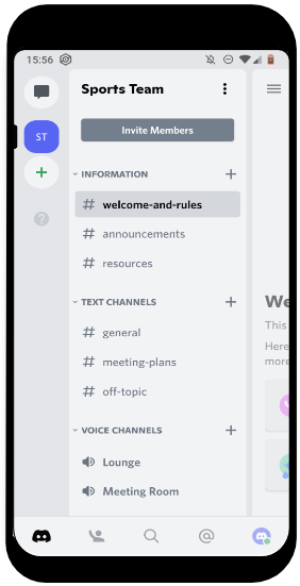
Discord is another messenger app that was originally developed for computer game players. In the meantime, however, Discord has also established itself in other areas and is often used as a communication platform for virtual sports on Zwift, for example.
In addition to the usual chat function, Discord also stands out for its ability to conduct voice and video conferences. Discord can be used to communicate on the smartphone (Android, iPhone), the desktop (macOS, Windows, Linux) or in the browser. The so-called “servers” are divided into topic-based channels similar to Slack, so you can talk there based on the topic.
Key features:
- Chat
- Voice and video conferencing
- Private and public servers
- Share files, pictures, videos
- Share screen
Once you have created your own “server” for your club, you can set up one or more channels and then invite the members of your club. In the channels you can write messages and make audio or video calls.
As an additional feature, you can also set up your own bots, which can relieve you of some of the moderation work. The bots filter spam or delete users who repeatedly break the rules.
Discord remains free to set up and use, and the app’s design is rather playful and reminiscent of its origins in the gaming industry.
A note on monetization (2024–2026): Discord’s Quests ad products arrived on desktop in 2024 and on mobile from June 2025, starting with Video Quests; Play Quests followed, and Arena Quests is in alpha with selected advertisers (see Discord’s announcement and the Arena Quests release). These are paid sponsored gaming missions surfaced to users with rewards (Orbs, avatar decorations) — opt-out personalization is available, but the sponsored content itself is now a permanent part of the Discord product. So while Discord is free for clubs to use, it is no longer ad-free.
Discord also offers paid subscriptions:
- Discord Nitro: ~$9.99/month or $99.99/year — extra emoji, 500 MB upload, HD streaming, profile customization;
- Nitro Basic: ~$2.99/month — 50 MB uploads and basic perks;
- Server Boosts: ~$4.99 per boost/month for higher audio quality, more emoji slots and other server-level perks.
As with other US-headquartered messengers, GDPR-compliant use requires the standard SCC + EU-US Data Privacy Framework analysis and is not entirely without concerns inside the EU.
Go to the website of Discord: https://discord.com/
Frequently asked questions
What is the best app for clubs?
There is no single best app for clubs — it depends on what your club actually needs. If you mainly want a calendar with RSVPs and a topic-based chat in one place, Klubraum works for clubs of all kinds, from the sports club to the choir or the volunteer group. If you need team-sport specialities such as a penalty catalogue, a team treasury or lineups, TeamPlus is stronger; if members should be able to pay fees and trip costs straight from the app, look at Spond. For membership records, dues by direct debit and accounting you do not need a club app at all, but club management software.
Which club apps are free?
Klubraum has a generous free basic plan for any number of members, with no ads; clubs that want more can add the optional Plus or Pro plans, paid by the club. Several other apps in this comparison are free with caveats: Spond finances itself through transaction fees on payments, sponsored content and user data; TeamPlus is ad-supported and free only for teams of up to 30 members; Stack Team App is free but ad-supported, and TeamReach is no longer ad-free either — removing the ads starts at $0.99 per month. With “free” apps it is always worth asking how the provider earns its money, because with ad-funded apps the answer often involves your members’ data.
Teamer is closing – which alternative should our club choose?
Teamer shuts down on 5 October 2026 and offers no data export, so every club still on it needs a new home. If you mainly need a calendar with RSVPs and a topic-based chat, Klubraum is the closest fit: a free basic plan for any number of members, optional Plus and Pro plans, ad-free and EU-hosted. Teams that need in-app payments and a guardian role are better served by Spond, while football-style team sports with a penalty catalogue, team treasury and lineups are a good match for TeamPlus; Pitchero, Teamer’s owner, offers its own platform as the vendor’s migration path. Whichever you choose, export your member list and upcoming fixtures by hand before 5 October 2026.
Club app or club management software – which do we need?
A club app is for communication and coordination: events with RSVPs, chat, announcements, polls, carpooling — everything your members use on their phones day to day. Club management software is for the back office: member records, dues collected by direct debit, accounting, invoices and reminders. Many clubs run both — the app for all members, the software for the committee and the treasurer. Which tools cover the admin side is the subject of our separate club management software comparison.
How do I create my own club app?
For the vast majority of clubs, building your own app is not worth it: development costs mount up quickly, the app has to be maintained and updated for years, and the result rarely does more than a ready-made club app that you can set up in a few minutes. Unless you have a very unusual requirement that no existing app covers, you will get a better result faster by picking one of the apps in this comparison and adapting it to your club — with your own areas, roles and calendar — instead of starting from scratch.
Conclusion
Now you are informed about all the important information of some of the most used club apps and messenger apps. The apps differ in their focus and of course in their features. Each app is good for something different and brings out different advantages. And of course, we couldn’t list all the apps that are out there.
First and foremost, you have to establish which goal you are pursuing with an app for your club and which functions are needed for it. Of course, you should also always consider data protection and costs.
All in all, there is a lot to learn about the different apps. We hope we were able to give you some information, answer the most important questions and that you have taken a big step forward on the way to the right app. Depending on what your club needs, you may even have found the right club app for you.
Do you think that we have forgotten an app or important information? Do you have any questions or suggestions regarding our article? Then simply write to us at [email protected], contact us via our social media channels or use the comment function below this article.