
Last reviewed: May 2026.
TimeTree turns up on practically every “shared calendar app” list — free, well-designed, and downloaded by more than 67 million people. If you need a family calendar or a household calendar, you’ll land here quickly. But as soon as the group gets bigger — a sports team, a youth group, a whole club — the question becomes: is TimeTree really enough? Or is it time to look at alternatives?
We took a fresh look at TimeTree, current as of May 2026, and wrote down honestly where it works and where it doesn’t.
Table of Contents
- What is TimeTree?
- Features at a glance
- Where TimeTree shines
- Where it falls short for clubs and teams
- TimeTree and GDPR
- Alternatives to TimeTree
- Bottom line
What is TimeTree?
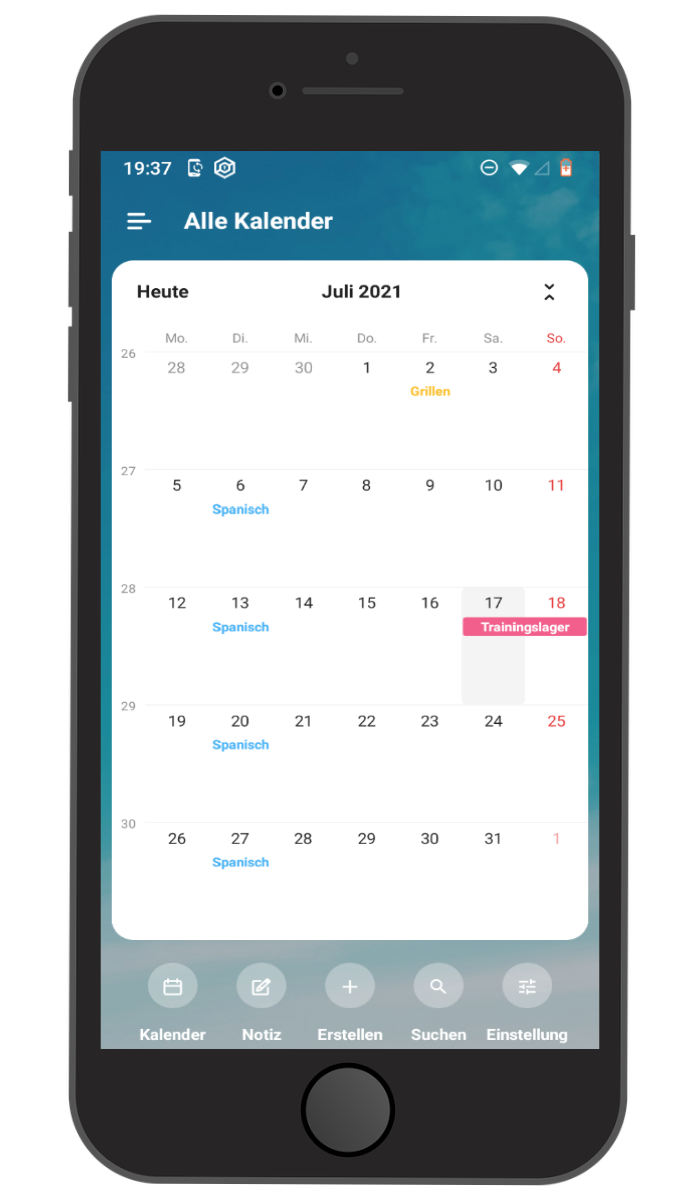
TimeTree is a shared calendar app from TimeTree, Inc. (Tokyo, Japan), founded in 2014. The core idea: several people maintain one calendar together, with events, notes, a small chat per event, and sync across iOS, Android, and a web client. It’s clearly positioned as a consumer product — families, couples, friend groups, and small teams.
In early 2026 TimeTree rolled out a major UI overhaul (“My Time” home calendar, new bottom-tab navigation). Anyone who remembers screenshots from a few years ago will see a noticeably different app today.
Features at a glance
- Platforms: iOS, Android, and a web client (calendar.timetreeapp.com). No native desktop apps; mobile browsers aren’t supported.
- Pricing (as of May 2026 — subject to change; check TimeTree for current rates): The base tier is free but ad-supported. TimeTree Premium is roughly USD $4.49/month or $44.99/year and removes ads, adds file and photo attachments on events, and unlocks a few extra views. A 30-day trial is available.
- Calendars per account: up to 20.
- Two-way sync with Google Calendar, Apple Calendar, and Outlook (read-in).
- Per-event chat in every calendar — one of TimeTree’s best-known charms.
- Memos / Keep: shared notes, to-dos, and lists not tied to a date.
- Public Calendars: one-way broadcast calendars anyone can subscribe to — useful for fixture lists.
Where TimeTree shines
TimeTree is at its best when the group stays small and personal. Families, couples, housemates, or a small coaching staff can get organized in minutes. The free tier is actually usable, onboarding is fast, and the per-event chat often replaces a WhatsApp thread for that one event — a genuinely nice idea.
The Public Calendars feature is also handy when a club just needs to publish a fixture list or a season schedule for anyone to subscribe to, without discussion or back-channel.
Where it falls short for clubs and teams
Once the friend group becomes a registered club or a structured organization with committees, coaches, and different roles, TimeTree starts to hit walls:
- No real roles and permissions. Only the calendar’s “Creator” can remove members; every other member has equal edit rights. There’s no read-only mode and no way to separate board members, coaches, and rank-and-file members.
- Hard cap of 500 members per calendar. Many clubs fit; mid-sized and large ones don’t.
- Every member needs a TimeTree account. A real friction point for older members and occasional helpers.
- Ads on the free tier. Going ad-free requires an individual Premium subscription — there’s no team or club plan that switches the whole group ad-free at once.
- No sub-groups or department structure, no member directory, no dues management, no integrated tasks or polls beyond a single event.
So if your club needs to manage members, dues, and communication — not just events — TimeTree alone won’t get you very far.
TimeTree and GDPR
TimeTree is operated from Japan. Data is transferred to Japanese servers. Legally, that rides on the EU-Japan adequacy decision of 2019 (confirmed in 2023) — a different framework than the EU-US Data Privacy Framework, but equally recognized.
The trickier point sits elsewhere: TimeTree does not publicly offer a Data Processing Agreement (DPA) for organizations. A club that acts as a data controller for member information (names, events, contact details) would need to bind its calendar provider as a processor under Art. 28 GDPR. Without that DPA, using TimeTree as your official club calendar is hard to defend. For purely private use it doesn’t matter; for an organization processing member data, it’s a real blocker.
Alternatives to TimeTree
If TimeTree feels too small, too personal, or too consumer-y for your group, you typically end up looking at:
- Generic calendars with shared workspaces: Google Calendar (with Google Workspace and a DPA) or Outlook Calendar (with Microsoft 365 and a DPA). Both are powerful but not built around club structures.
- Club-focused apps that bake calendar, communication, departments and roles together. See our club apps comparison for a broader overview.
Klubraum as a German alternative
If you like the comfort of a shared calendar but want a tool built around how clubs actually operate, take a look at Klubraum. It combines a group calendar, topic-based chat, pinboard, and department management in one app — hosted in Germany, with a DPA, and with a roles-and-permissions model designed for clubs and teams. The base tier is free and ad-free; paid plans only kick in as your club grows.
Bottom line
TimeTree is a lovely app for small, personal groups. For families, friend groups, or a small coaching staff it’s quick to set up and does what it says. But once a club needs members, roles, departments, and a clean privacy footing, the gaps show: no real permissions, no DPA, a 500-member cap, and no club features beyond the calendar itself.
If you want the best of a shared calendar and proper club organization in a single app, a purpose-built solution will almost always serve you better. TimeTree can happily stay alongside it for the family side of your life.