
Last reviewed: May 2026.
When people hear “Outlook” they usually think email first — but inside is one of the most mature calendars on the planet. If you use it for work, the question comes up naturally: can I just run the club calendar there too? Honest answer: yes, but only halfway in most cases. Here’s what’s possible in free Outlook.com, what Microsoft 365 adds, and where Outlook bumps into the club use case in 2026.
Table of Contents
- Outlook Calendar — two worlds
- Features and pricing at a glance
- Where Outlook shines
- Where it falls short for clubs
- Outlook and GDPR
- Alternatives to Outlook Calendar
- Bottom line
Outlook Calendar — two worlds
“Outlook” really means two distinct products:
- Outlook.com — the free consumer version with a personal Microsoft account.
- Outlook in Microsoft 365 — the paid version with an Exchange Online mailbox, Microsoft 365 Groups, and an admin console.
For the question “can my club use this?” the distinction matters, because it affects not only features but also the data-protection contracts available.
Since August 2024, the “new Outlook for Windows” has been generally available alongside the classic Outlook. Classic Outlook is still the default for most existing Microsoft 365 commercial users and is supported through at least 2029; new Outlook becomes the default for the M365 enterprise rollout starting March 2027. The web UI has also been refreshed considerably over the past few years.
Features and pricing at a glance
- Platforms: iOS, Android, web (outlook.live.com / outlook.office.com), Windows (new and classic Outlook), macOS.
- Pricing (as of May 2026 — subject to change; check the vendor’s site for current rates):
- Outlook.com: free with a Microsoft account.
- Microsoft 365 Personal / Family: from around €99/year or €129/year (Family covers up to 6 people).
- Microsoft 365 Business Basic: from around €5/user/month — the cheapest centrally managed tier with shared calendars and groups. Heads up: Microsoft has announced a ~17% price increase from July 2026 in the US (mitigated in Euros by an early-2026 FX correction).
- Calendar features: events with recurrence, shared calendars with delegate permissions, calendar publishing via ICS subscription or HTML link, meeting requests with RSVP, the Scheduling Assistant for free/busy across attendees, reminders, time zones, color categories.
- Microsoft 365 Groups: automatically create a shared group calendar that all members can read and write without further sharing.
- New in 2026: Outlook rolled out several calendar updates in May 2026 — auto-mapped calendars, a teammates’ calendar view, and Copilot insights.
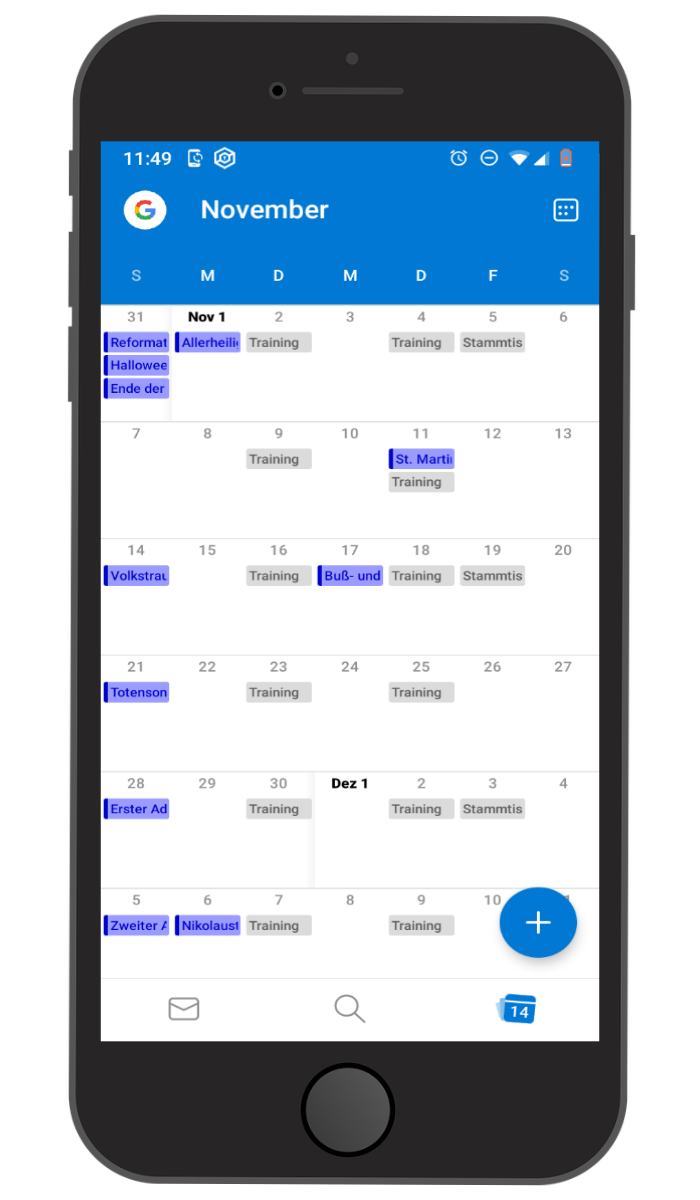
Where Outlook shines
In a professional setting, Outlook is hard to beat: scheduling across multiple mailboxes, free/busy lookup, delegate access, clean RSVP tracking, and tight Teams integration. If your club already runs on Microsoft 365 — or you do for work — you can keep the club calendar as just another calendar in the same Outlook view, including an ICS subscribe link for read-only access by members.
Microsoft 365 Groups are also a neat option for a small team with centrally managed Microsoft accounts — for example a board or a paid staff team.
Where it falls short for clubs
In a club context, Outlook bumps into the very things it was designed around as an office tool:
- Members need Microsoft accounts. Anyone who really wants to RSVP or edit needs to be inside Microsoft. External members only get a static ICS view.
- Sharing calendars between separate personal Microsoft accounts works technically but feels clunky. Full sharing functionality only kicks in within the same M365 tenant — meaning everyone has a licensed M365 account.
- No public iCal link by default — you have to enable “publish calendar” per calendar, and the result is read-only.
- No club-style roles (board, coach, member); only generic Outlook permissions.
- M365 setup is heavy. Licences, tenants, admin console — that’s a lot of overhead for a small club that mainly wants to share a fixture list.
- No integrated club chat. Teams exists, but it’s overkill for most clubs and adds licence cost.
Outlook and GDPR
In 2025 Microsoft completed the EU Data Boundary: customer data, pseudonymized personal data, and professional-services data for Microsoft 365, Dynamics 365, Power Platform, and most Azure services are stored and processed inside the EU/EFTA. Microsoft Corporation is certified under the EU-US Data Privacy Framework, the validity of which was upheld by the EU General Court in September 2025.
Microsoft provides a standard Data Protection Addendum (DPA) for M365 commercial customers — one of the key advantages over most consumer calendars.
Important for clubs: the free Outlook.com version with a personal Microsoft account does not come with a DPA. A club processing member data cannot use Outlook.com as its official calendar without legal risk. Realistically, that means Microsoft 365 Business with a signed DPA.
Alternatives to Outlook Calendar
If you like the Outlook polish but find it too heavy or expensive for the club, common next stops are:
- Google Calendar with Google Workspace (DPA, EU data regions). Details: Google Calendar for clubs.
- Apple Calendar / iCloud — fine for all-Apple households, impractical for a mixed club.
- Club apps with built-in calendars that ship with roles, departments, and member management. Overview: the 17 best apps for your club.
Klubraum as a club-first option
If you’d rather skip the M365 admin overhead but still want events, communication, and members handled cleanly, a club-focused app typically fits better. Klubraum delivers a group calendar plus threads, pinboard, departments, and roles in a single app — hosted in Germany, with a DPA, and a free base tier that isn’t priced per user.
Bottom line
Outlook is a first-class office calendar that works for clubs technically but is often the wrong tool socially. The mix of Microsoft-account requirements, M365 complexity, and the fact that free Outlook.com has no DPA makes Outlook a second-best choice for most clubs — unless you’re already deep in the Microsoft ecosystem.
If you want the calendar as part of a mobile club app, a dedicated solution that thinks about club structures from day one is almost always the more sustainable pick.