
Per-Area permissions
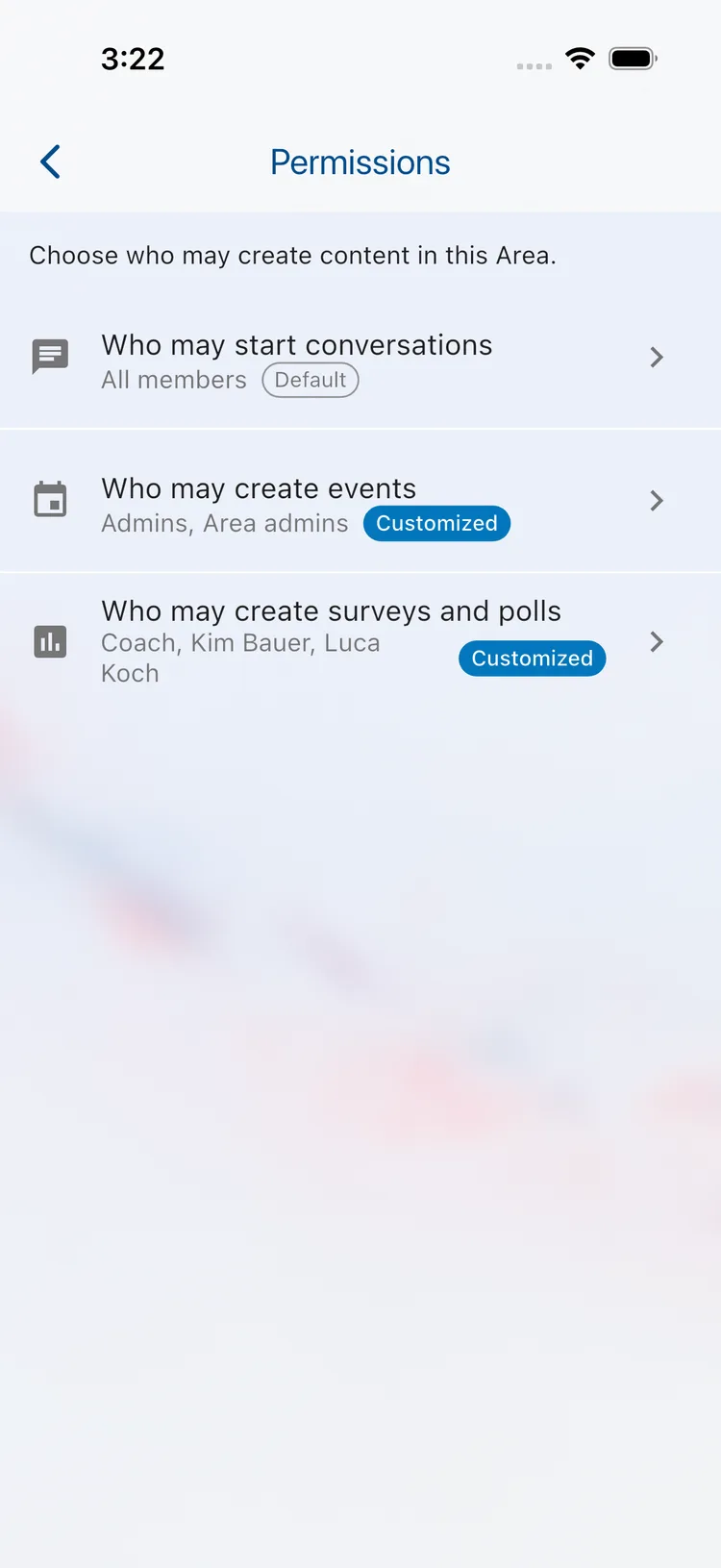
With Per-Area permissions you decide for every Area who may create new content in it. For example, everyone can keep chatting in your football Area while only the coaches create training events.
Per-Area permissions are part of Klubraum Pro. Only the Admins of your Klubraum can change them.
What you can control
Section titled “What you can control”For each Area you set three things separately:
- Who may start conversations
- Who may create events
- Who may create surveys and polls
Per-Area permissions only decide who may create something. Who can see the Area and its content does not change, and everything that already exists in the Area stays as it is.
How to set it up
Section titled “How to set it up”- Open the Area.
- Open the Area Menu and choose Permissions.
- Tap one of the three sections, for example Who may create events, and pick who may do it.
You can also set the permissions straight away when you create an Area.
The choices
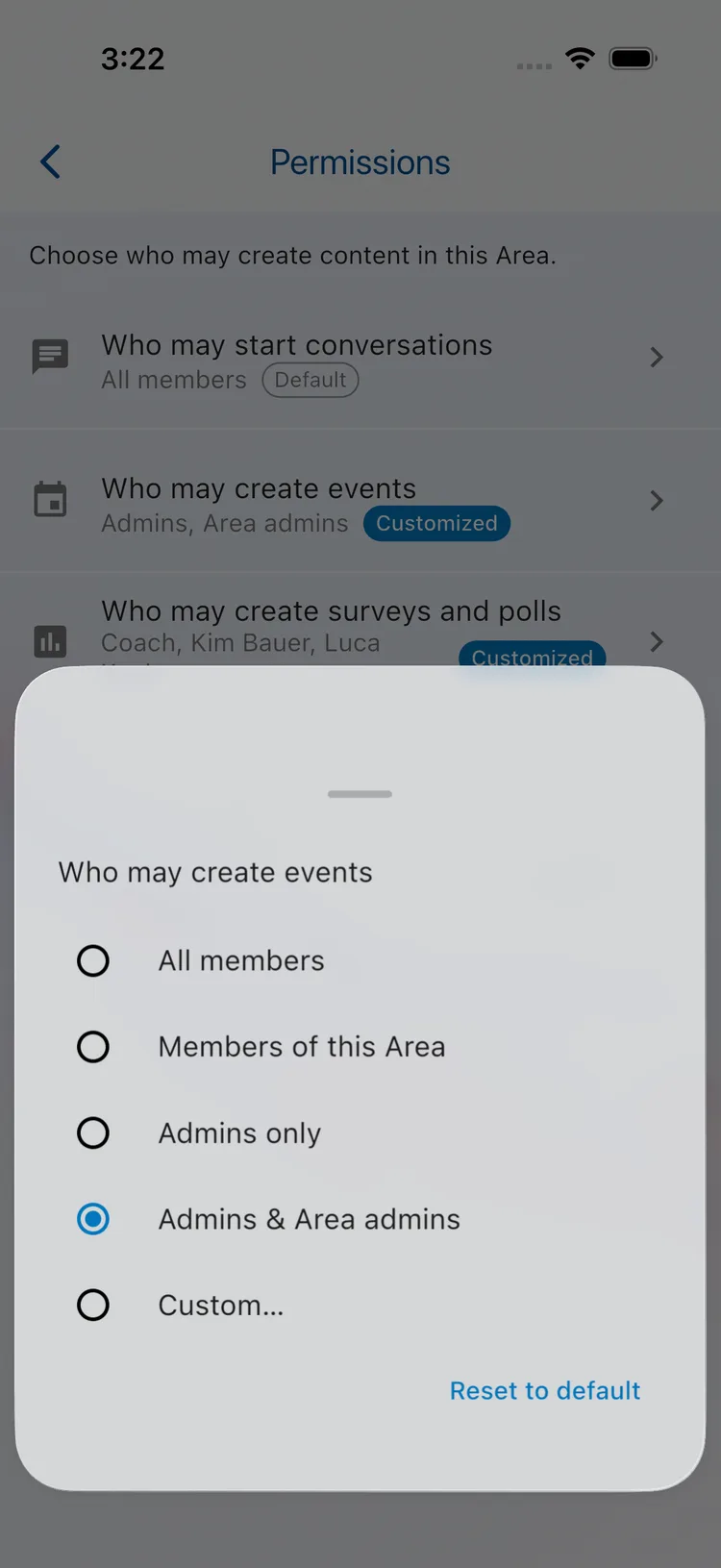
Section titled “The choices”| Choice | Who may create content |
|---|---|
| All members | Everyone in your Klubraum |
| Members of this Area | Only the members of this Area |
| Admins only | Only the Admins of your Klubraum |
| Admins & Area admins | The Admins of your Klubraum and the Area Admins of this Area |
| Custom… | Any combination you like |
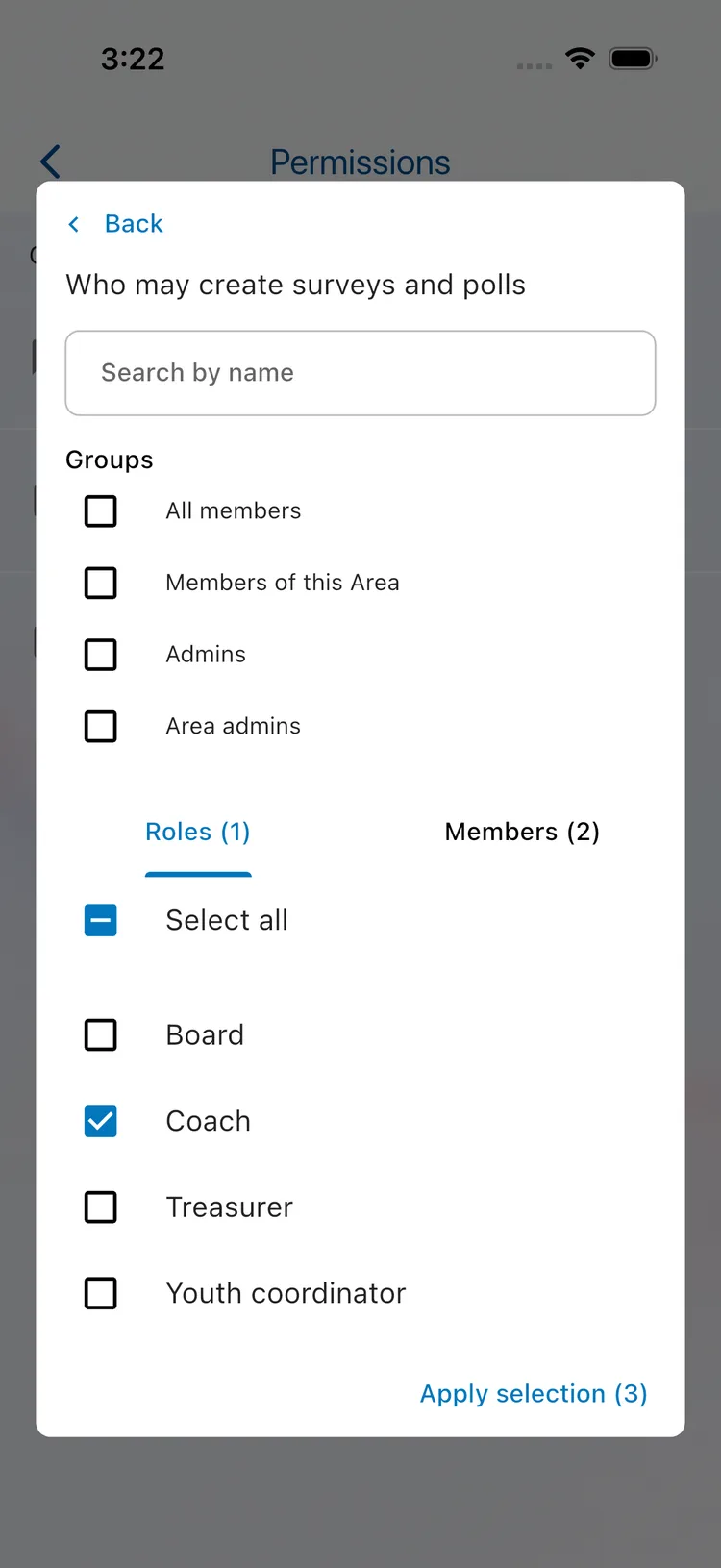
With Custom… you combine groups such as “Admins” or “Area admins” with Roles and individual Members, for example the role “Coach” plus two parents.
Good to know
Section titled “Good to know”- Defaults: As long as you change nothing, the usual rules apply: in a public Area all members may create content, in a private Area only its members. A section you changed is marked Customized, and Reset to default brings back the standard rule.
- Private Areas stay private: Only people who belong to a private Area can create content in it, whatever you choose.
- Existing content stays: Changing a permission never removes or hides conversations, events or surveys that already exist.
- If your Pro plan ends: Your settings are kept but no longer apply, so the defaults are used. Once you are on Pro again, your settings apply again.
Related articles
Section titled “Related articles”- Private Area
- Area Admin
- Permissions – who can do what in Klubraum