App Usage Tips
Long press
Section titled “Long press”Some functions in Klubraum’s mobile app are accessed with a long press. You’ll be amazed at what you can do with it 😉
1. Copy messages
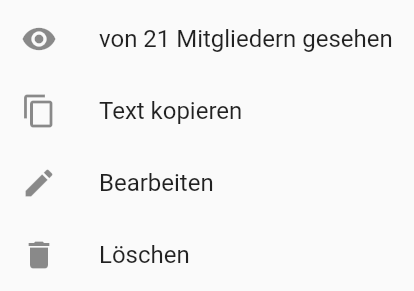
Section titled “1. Copy messages”When you long-press a message, you not only see the number of members who have read it, but you can also copy the text. It’s saved to your clipboard and you can access it at any time.
2. Share text
Section titled “2. Share text”Want to share your message via WhatsApp, Instagram, email, or other messaging services? Then this function is perfect for you!
3. Delete or edit messages
Section titled “3. Delete or edit messages”Want to edit or completely delete a message you’ve already sent? Just long-press the message you want to edit/delete (left-click on the web). When you delete your message, “Message was deleted today at xy” remains in the history.
4. Who liked my message?
Section titled “4. Who liked my message?”Want to see who likes your message? If you long-press the like button, you can see who has already marked it with “Like”. 👍
5. Mark conversation as read
Section titled “5. Mark conversation as read”Have lots of unread messages and don’t want to click each one individually to make the message icon disappear? Long-press the unread message and it will be marked as read.
Share photos, documents, and location
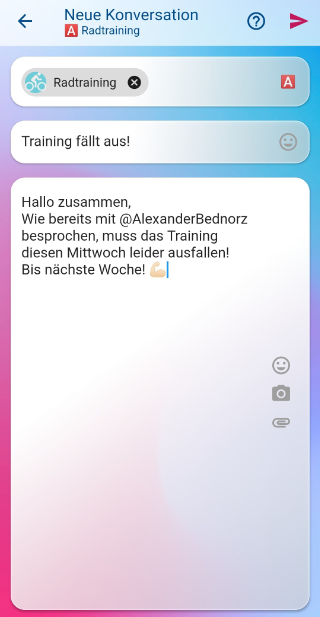
Section titled “Share photos, documents, and location”Did you know that you can share not only photos and documents but also your location 📍? Just click on the paperclip in your message field.

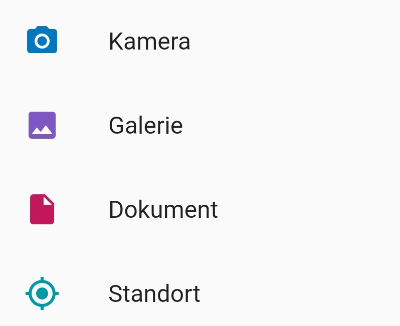
Tip: If you’ve already typed a message, the camera icon disappears, but you can still access all functions via the paperclip 📎!
Double-click on web to copy message
Section titled “Double-click on web to copy message”Did you know that if you double-click with your left mouse button on the web, the message is automatically copied?
Mentions with @
Section titled “Mentions with @”Ever tried to mention someone directly? With @firstname it’s super easy! Whether in a conversation, comment, or event. The mentioned person receives a notification and it appears in their timeline. Give it a try right now!😊